0:00
So, what if I told you there's people
0:01
who go through the whole cord cutting
0:03
process? They set a budget, they compare
0:05
the channel lineups, and they return
0:07
their old equipment, but they are still
0:09
barely saving any money compared to
0:11
cable, if anything at all. It actually
0:14
happens a lot more than you might
0:15
realize. 10 years ago, live TV streaming
0:18
services to replace cable cost around 40
0:21
bucks a month. But now, similar bundles
0:24
are approaching or already over $100 a
0:28
month. Today I want to share a real life
0:31
example from a year 1 cord cutter.
0:33
Someone who switched from Xfinity to
0:35
YouTube TV. And this household watches
0:38
fewer than a dozen of the channels from
0:41
the big bundle they've got. Locals,
0:44
sports, and entertainment networks. So
0:46
there is a decent variety in the content
0:49
they watch. And because of that variety,
0:52
this is the type of cord cutter who used
0:54
to be stuck in a big bundle, but not
0:56
anymore. Everything has changed. They
0:59
dropped Xfinity first. Could they drop
1:02
YouTube TV next? To answer that, I asked
1:05
them about what they actually watch on
1:08
each channel. First, I separated out the
1:10
entertainment channels. And it turns out
1:12
this household isn't watching any new
1:15
original series on the networks you see
1:18
here. Instead, they're turning on
1:20
channels like IFC to watch repeats of
1:23
Comfort TV. Everybody loves Raymond. You
1:26
do not have to pay for a big bundle to
1:28
watch reruns. Look here. I searched for
1:31
the show on justwatch.com
1:34
and found that it's available from
1:35
several affordable standalone apps.
1:38
Plus, some of the other content they
1:40
watch is easy to find on free streaming
1:43
services. Tuby, the Roku channel, Pluto,
1:46
even free YouTube. We're off to a good
1:48
start, but what about sports? The main
1:51
reason why people keep a pay TV bundle.
1:54
And by now you already know that ESPN
1:56
has launched its own standalone service,
1:59
ESPN Unlimited. And that would be my top
2:02
recommendation for this household. They
2:05
could bundle that with NFL Plus Premium.
2:07
That gets them NFL Red Zone. And what
2:10
about golf? Well, they just like to
2:12
watch it and told me they don't really
2:14
need the golf channel. You can find a
2:16
lot of golf on broadcast TV networks
2:19
anyway. So that brings me to the local
2:21
stations and another reason why this
2:23
cord cutter could probably drop YouTube
2:26
TV. They are one of the lucky ones
2:29
because even though they pay for a live
2:31
TV streaming service with locals, they
2:33
can get all these channels with an
2:36
indoor antenna once actually hooked up
2:38
on a secondary TV. So, they could move
2:41
that to their main TV, buy a second new
2:43
one, or get a Tableau DVR, which lets
2:47
you use one antenna for the entire
2:49
house. Now, if an antenna does not work
2:52
where you live, it isn't quite as easy.
2:54
That's why I said they're lucky.
2:56
Broadcast TV content, including live
2:58
sports, is available from standalone
3:01
apps and also in some skinny bundles.
3:04
But getting full local coverage that way
3:07
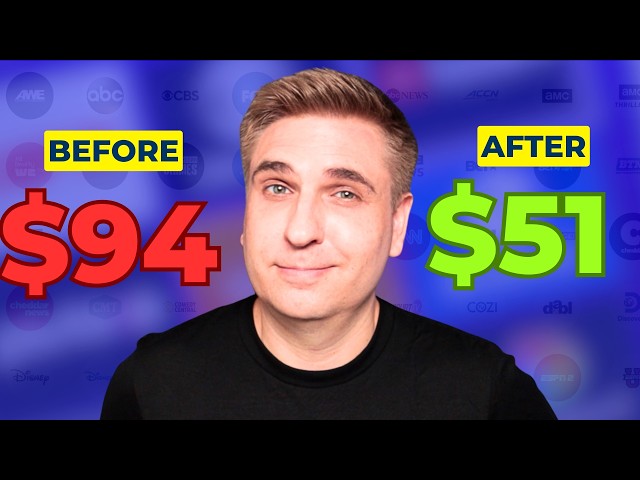
won't be cheap. This cord cutter's last
3:09
YouTube TV bill, $94 a month before
3:13
taxes. The service provides convenient
3:16
one app access to nearly everything they
3:19
watch. But if they value savings over
3:22
simplicity, this may be worth trying.
3:25
Use the indoor antenna on their primary
3:27
TV. Get the ESPN and NFL Plus premium
3:31
bundle and subscribe to Peacock Premium
3:34
for library content. It's just three
3:37
steps and it adds up to around $40 a
3:39
month in savings compared to their
3:41
current plan. So, the bottom line, don't
3:44
make the mistake of trading one
3:46
expensive bundle for another without
3:48
auditing what you're actually watching.
3:51
So, here's what I recommend. First, make
3:54
a list of what you're actually watching.
3:56
Channels and content, not channels
3:58
alone. Second, use free tools to find
4:01
the services you need to stream your
4:04
favorite content. For movies and TV
4:06
shows, I already mentioned
4:09
And for sports, I like this ESPN's where
4:13
to watch tool. Add leagues and teams,
4:15
and then you can see where to stream the
4:17
games across various apps. It's not just
4:20
ESPN. And third, compare the bundle
4:23
price to the DIY route. Will you
4:26
actually save any money? Bundles are
4:29
convenient, and if you decide to stick
4:31
with one, you may still be able to save
4:33
money. Just switch from a big bundle to
4:36
a skinny bundle. It's the year to
4:39
downgrade and save. I'll see you next
4:41
time and on michaels.com.