Up next in 10



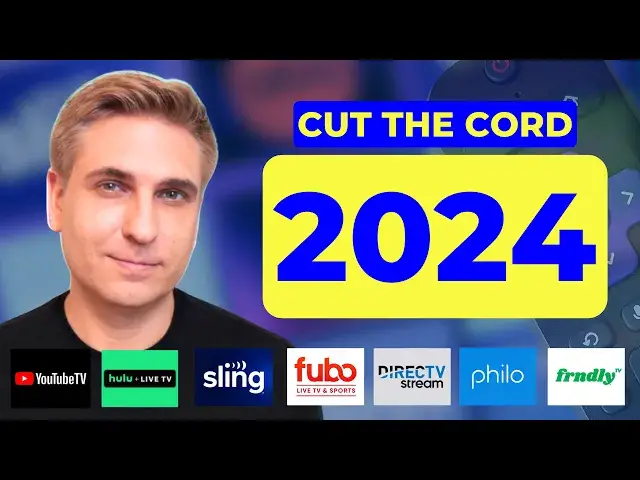
Are you ready to cut the cable TV cord? This is the ultimate beginner's guide to cutting the cord in 2024. In this updated video, I walk you through my 7-step process to cancel cable or satellite TV and switch to streaming. This new tutorial includes updates to help you fight back against the rising cost of live TV and internet service. View a written version of this guide on MichaelSaves.com: https://michaelsaves.com/streaming/how-to-cut-the-cord/
Compare live TV streaming options here: https://michaelsaves.com/streaming/best-live-tv-streaming/
Compare internet plans here: https://michaelsaves.com/internet/best-internet-plans/
Verizon Home Internet: https://michaelsaves.com/internet/verizon-home-internet-review/
T-Mobile Home Internet: https://michaelsaves.com/reviews/t-mobile-home-internet-review/
Find DEAL ALERTS on MichaelSavesDeals.com: https://michaelsaves.com/deals/deal-alerts/
Sign up for my weekly newsletter! https://mailchi.mp/a36c20b3255d/michaelsaves
VIDEO CHAPTERS:
0:00 Reasons to Cut the Cable TV Cord
0:54 Review Your Cable Bill and Set a Streaming Budget Goal
2:31 Decide If You Need a Live TV Streaming Service
6:19 Compare Options for Internet Service
10:03 Get Your Streaming Equipment Together
12:10 Finalize Your Starting Streaming TV Budget
Show More Show Less View Video Transcript
0:00
Are you finally ready to cut the cable TV cord
0:03
This is the only video you need to watch. Hey, it's Michael here, and when I first became a cord cutter back in 2010
0:10
I hooked up an indoor antenna and I signed up for a Netflix account
0:14
But now with the riser streaming platforms, you've got a whole lot more options
0:19
I'm here to simplify that process for you. Since 2016, I've told thousands of cable and satellite subscribers
0:27
navigate this switch to streaming and still save money. But you know, it's not just about saving money anymore
0:33
People are switching to streaming because they prefer the content, want to escape restrictive contracts, or sometimes they've got no choice
0:42
That's right. Some cable companies have stopped offering traditional cable TV service
0:47
Follow along. This video is going to walk you through my updated
0:51
seven step process to cut the cord. Let's dive in. Number one, review your cable TV bill and set a streaming budget goal
0:59
When people reach out to me about cutting the cord, it's usually after their cable TV bill has gone up again
1:05
And some of these customers are paying more than $250 a month
1:09
for live TV and Internet service. So to help you narrow your streaming options, the first step of this process
1:16
is to review your current cable or satellite bill and see what you're actually paying
1:21
Sounds simple enough. Now, before you move ahead with the switch to streaming
1:25
I suggest that you call or live chat with your cable provider
1:29
And I've got three questions that I want you to ask them. First, I'm thinking about dropping my cable TV service
1:35
Is there anything you can do to lower the price? The answer, maybe no
1:40
Second, if I switch to an Internet only plan, what are my options and how much do they cost
1:46
And third, let's say I decide to cancel cable TV and or Internet service
1:52
Will I owe an early termination fee? And the answers to these questions will help you decide if now is the right time
1:59
for you to cancel cable and switch to streaming. Next, I want you to estimate your streaming budget goal
2:06
Don't overthink it. This number is just what you're willing to pay per month for TV and Internet combined
2:12
You need Internet to stream. So if the cable TV company's best offer of let's say $250 a month doesn't work for you
2:20
then what will? $200, $175, $150? Set this number as a preliminary streaming budget goal
2:27
and we can always adjust it later on. Let's continue. Number two, decide if you need a live TV streaming service
2:35
When you're cutting the cord, there are a few types of streaming services to choose from
2:40
and also some overlap between them. But in general, here's how I like to categorize the services
2:46
Live TV streaming services, on-demand streaming services, and free and legal streaming services
2:53
Live TV streaming services are the most expensive and that's why I've dedicated this entire step to determining if you really need one
3:01
YouTube TV is the leading premium live TV service and also my number one pick for new cord cutters
3:07
At the time of this recording, expect to pay around $75 to $80 a month
3:13
for a live TV streaming service that will replace your cable TV bundle
3:17
Premium live TV services include local channels, sports channels, and also cable news channels
3:25
A service called Sling TV can be a more affordable option. It's somewhere in between the premium and budget services
3:31
But Sling TV has limited local stations, so I like it mostly for people who can pick up locals with an antenna
3:38
And by the way, if an antenna works where you live, that's still the way to go
3:42
For more price-sensitive customers, there are also cheaper live TV streaming services like Philo and Friendly TV
3:49
They focus on entertainment cable networks, not locals, not sports, and not news
3:56
So this is important. I want you to ask yourself a few questions
3:59
Do you watch local broadcast TV channels? Do you watch sports networks like ESPN
4:05
Do you watch cable news and business networks? And do you watch cable entertainment shows
4:11
If so, you're most likely going to want a premium live TV service
4:15
like YouTube TV or the other ones listed on the screen. And I'll link below to an article where I compare the pricing, channels, and features
4:24
Now, these premium live TV services, they deliver much of the same content that you're used to getting with cable and broadcast TV
4:32
Unfortunately, though, they're not going to save you a whole lot of money
4:35
Still, many people prefer them over cable or satellite because most live TV services don't have hidden fees or long-term contracts
4:44
You typically pay for only one month at a time and can cancel whenever you want
4:49
The biggest complaint I hear about live TV services, it's the same complaint that I've heard about cable and satellite
4:56
And that's with the bundle, you pay for a lot of channels that you just don't watch
5:01
And a lot of cord cutters just aren't willing to spend $75 a month for a live TV service
5:07
So in that case, my best advice is to get an antenna, if at all possible
5:12
I've got a Mohu Leaf indoor antenna. I've had it for years and it picks up my local stations
5:17
This one cost only about 40 bucks. Then depending on your budget
5:21
you can always add on to the free channels you get with the antenna
5:25
Sign up for on-demand services. They've got the best shows and movies anyway
5:29
Popular on-demand services include Netflix, Disney Plus, and Max. To save some money, consider the plans with advertising
5:37
Some of those are still under $10 a month. I should also mention that you can stream a lot of great content
5:43
including original shows and movies, on free ad-supported streaming services. My favorites, Pluto TV, The Roku Channel, Tubi, and Freebie
5:53
They're free and legal. The further away you get from the live TV bundle with those expensive locals
5:59
sports, and news channels, the more money you're going to save. But if you do want a live TV streaming service
6:05
know that at least some of them offer free trials. That makes it easy to test out one or more live TV streaming services
6:13
while you're still paying for cable to be absolutely sure that streaming is right for you
6:19
We're up to step three. Compare your internet options. All streaming services require an internet connection
6:26
So high-speed internet, that's a must for cord cutters. Options vary depending on where you live
6:32
but they may include fiber internet, cable internet, and 5G home internet services
6:38
If you currently bundle TV and internet from your cable provider, you can typically keep internet as a standalone service
6:46
Just know, the cost may be slightly higher because you're losing the bundle discount by dropping TV
6:53
And when you're comparing internet options, I want you to focus on three main factors, price, download speed, and data caps
7:01
For this portion of the video, I pulled my YouTube community to give you some more context
7:06
Let's take a look. For pricing, 35% of people who responded said they pay between $50 and $75 a month
7:14
for internet service. And that's what I personally pay. Competition does help
7:18
The more internet providers in your area, generally, the better the deals
7:23
And new customers are always going to get the best deals. Let's talk about data speeds
7:28
When you're making the switch to streaming, your internet provider may try to upsell you a plan with higher download speeds
7:35
But in most cases, you just don't need a gig speed plan. My internet download speed, typically between 200 and 300 megabits per second
7:43
with Verizon 5G home internet. And I never have issues with lag or buffering
7:48
Take a look at the results of my YouTube community poll. From my experience, an internet plan with download speeds of 200 to 400 megabits per second
7:57
that allows a handful of devices to connect to the network at the same time
8:02
And your performance isn't going to suffer. But if you live in a larger household or you do a lot of gaming
8:08
in that case, I'd consider a 400 to 600 megabits per second plan
8:12
Now, not all internet providers impose data caps. But this is definitely something to consider because streaming, it uses a whole lot of data
8:21
Ideally, you want an internet plan that offers unlimited data with the base plan
8:26
So no extra fees. 82% of people who responded to my YouTube community poll
8:31
said they get unlimited data at no extra charge. Xfinity is one internet provider that has data caps in some parts of the country
8:39
The company says its 1.2 terabyte data plan offers enough data to stream HD video for nearly 18 hours a day
8:48
Still, though, I hear from a small percentage of heavy users and larger households
8:52
who go over that limit. And in that case, Xfinity and other internet providers with data caps
8:58
will typically offer an unlimited plan upgrade. With Xfinity, it's an extra $30 a month
9:04
For more than a year, I've been conducting a long-term test of two 5G home internet providers
9:11
T-Mobile and Verizon. These services use cell phone towers to bring internet to your home
9:17
And at the time of this recording, 5G home internet services start at around $50 a month
9:22
and have price locks so your rate doesn't go up after the first year
9:27
Some other features, no contracts, equipment is included, unlimited data, and easy self-installation
9:35
Plus, these services have additional discounts if you've got a phone plan with them
9:40
Unfortunately, they're not available everywhere. I'll leave links in the description box below
9:44
That way you can check availability. You can also watch my full reviews to weigh the pros and cons
9:50
Despite attacks about reliability from cable internet providers, these 5G home internet services are growing and most people are satisfied with them
9:59
I only expect them to continue to grow in the year ahead
10:03
Step four, get your streaming equipment together. When it comes to equipment, a lot of new cord cutters end up buying expensive gear
10:11
that they don't really need. The fact is, you may already own everything that's required to get started
10:18
This is a basic streaming setup. We've got a smart TV and an internet connection
10:23
which again is required for all streaming. The latest smart TVs provide built-in access to the most popular streaming apps
10:31
Right now, I'm showing you the app store from my Samsung TV
10:34
Apps like YouTube TV, Netflix, Hulu, and Prime Video, they're installed or available to download
10:41
So if your smart TV has all your favorite apps, you can stop here
10:45
You don't need any additional equipment to start. But what happens if you don't have a smart TV
10:50
or maybe your smart TV is older and doesn't have all your favorite apps
10:55
In that case, don't go get a new TV set just yet. You can always purchase a streaming media player
11:02
There are various brands of streaming media players. I've tested a few of them, Roku, Amazon Fire TV, Google Chromecast, and Apple TV
11:11
This Insignia TV set, it's not a smart TV, but by hooking up a Roku device
11:16
I can turn this dumb TV into a smart TV and then stream all my favorite apps
11:22
Roku and other streaming media players are a one-time cost. There's no subscription required
11:29
For this TV set, I'm using a Roku Express 4K+. It's an entry-level Roku, and it costs less than $40
11:37
And why do I like Roku? First, that affordability, also a really simple navigation
11:42
and it has a wide availability of free and paid apps. Now, some people end up buying streaming media players for all their TV sets
11:51
whether they're smart TVs or not. And this is just a preference
11:55
I do this because I prefer Roku's user interface over Samsung. If you're just starting out, prioritize streaming equipment that you actually need
12:04
versus equipment that you want because you can always upgrade your setup later on
12:10
Step five, finalize your monthly streaming TV budget. By now, you've gathered a whole lot of information
12:16
and it's going to help you set a streaming TV budget and decide if canceling cable is right for you
12:23
For this step of the process, add up the recurring costs for streaming services
12:28
and your internet plan. I've got an example. This cord cutter subscribes to a premium live TV streaming service
12:35
plus they've got on-demand services, Netflix, Disney+, and Max. That brings their total price for streaming to around $100 a month
12:44
For internet service, this cord cutter has decided to keep a standalone plan
12:49
with their cable company for now. They got a quote earlier in the process, $75 a month
12:54
So that brings their total for streaming TV and internet to $175 a month
13:00
After you've calculated the streaming costs, you want to compare that to your current cable and internet bill
13:06
And hopefully, streaming is going to be less expensive. Keep in mind, you're going to need to adjust this budget over time
13:13
Streaming services are not immune from price hikes. For example, I've been tracking YouTube TV's price since it launched in 2017
13:21
and the monthly price of its bundle has doubled. Like cable and satellite companies
13:26
live TV streaming services have to negotiate with the same companies that own the channels
13:32
And when they raise prices, they always cite the rising cost of programming
13:37
On-demand services are facing rising content costs as well, and most services besides Netflix are unprofitable
13:44
These on-demand services have aggressively been raising the price of ad-free plans
13:49
You see the difference between the starting price of Netflix's standard plan with ads
13:54
and Netflix's standard plan without ads. Other on-demand services are priced in a similar way
14:00
I've had to add about 10% to my annual streaming budget over the last few years
14:05
but it really varies depending on the services that you get. And by the way, to keep things simple for this step, I excluded one-time equipment costs
14:14
But if you need to buy an antenna or a streaming device to get started
14:18
budget for those expenses accordingly. We're up to number six, and that's to cancel cable TV service
14:24
You've already crunched the numbers, tested streaming services, compared internet options, and purchased any necessary equipment
14:33
Now you can call up your cable TV provider and cancel your TV service
14:38
If you already called your cable TV provider during step one of this process
14:42
and asked them the three questions that I mentioned earlier, there should be no surprises here
14:47
That's because you already know their best offer, you already know how much an internet-only plan will cost
14:53
and you already know if there's an early termination fee. From my experience helping people cut the cable TV cord
14:59
it's best to cancel by phone and call early in the day
15:03
That way you shouldn't get a long wait time. And if you want to keep internet service with your cable company
15:08
review the plans ahead of time and be prepared for a sales pitch
15:12
Just a reminder, most households don't need gig speed internet. And once you've dropped cable TV from your plan
15:18
make sure to promptly return any rental equipment. That way you can avoid any additional charges
15:24
There's one more step, and it's an important one. Comparison shop and explore ways to save
15:30
Now that you're a cord cutter, there are still a few levers that you can pull to fight back against the rising cost of TV
15:37
which does again extend to streaming services. My number one savings tip is to rotate your subscriptions, particularly with live TV
15:45
This is the way that I do it. If you have YouTube TV but only need it during football season
15:50
you could cancel it during the off season and try a cheaper option
15:54
something like Sling TV or Philo. To save even more money, consider dropping live TV altogether
16:00
This is something that I experimented with last year. If you drop live TV altogether, you can use an antenna for local stations
16:08
and supplement with free and cheap streaming apps. Rotating on demand services can save you some money as well
16:14
I try to pay for only three services at any given time
16:18
More ways to save now. You can also select plans with ads to lower your costs
16:23
Pre-pay for an annual plan. Save up to 20% on services that you absolutely love
16:28
Take advantage of Black Friday deals on michaelsavesdeals.com. Check your credit card rewards and also special offers
16:36
See if your phone provider offers any streaming perks. And of course, rely on free streaming options that I mentioned earlier
16:42
Another tip, when you go online to cancel a service after a promotional period ends
16:47
don't be surprised if you're offered another promotion. Sometimes this can extend the savings for a few more months
16:54
michaelsavesdeals.com is where I update deals on streaming TV services as well as internet and phone plans
17:02
If you found this video helpful, please give it a like. Thank you for watching today and I hope to see you back here soon
17:08
Take care
#TV & Video
#Online Video
#Consumer Electronics
#Service Providers
#Cable & Satellite Providers
#TV Guides & Reference
#TV Networks & Stations
#Media Streaming Devices