0:00
Are you finally ready to cut the cable TV cord
0:03
This is the only video you need to watch. Hey, it's Michael here, and when I first became a cord cutter back in 2010
0:10
I hooked up an indoor antenna and I signed up for a Netflix account
0:14
But now with the riser streaming platforms, you've got a whole lot more options
0:19
I'm here to simplify that process for you. Since 2016, I've told thousands of cable and satellite subscribers
0:27
navigate this switch to streaming and still save money. But you know, it's not just about saving money anymore
0:33
People are switching to streaming because they prefer the content, want to escape restrictive contracts, or sometimes they've got no choice
0:42
That's right. Some cable companies have stopped offering traditional cable TV service
0:47
Follow along. This video is going to walk you through my updated
0:51
seven step process to cut the cord. Let's dive in. Number one, review your cable TV bill and set a streaming budget goal
0:59
When people reach out to me about cutting the cord, it's usually after their cable TV bill has gone up again
1:05
And some of these customers are paying more than $250 a month
1:09
for live TV and Internet service. So to help you narrow your streaming options, the first step of this process
1:16
is to review your current cable or satellite bill and see what you're actually paying
1:21
Sounds simple enough. Now, before you move ahead with the switch to streaming
1:25
I suggest that you call or live chat with your cable provider
1:29
And I've got three questions that I want you to ask them. First, I'm thinking about dropping my cable TV service
1:35
Is there anything you can do to lower the price? The answer, maybe no
1:40
Second, if I switch to an Internet only plan, what are my options and how much do they cost
1:46
And third, let's say I decide to cancel cable TV and or Internet service
1:52
Will I owe an early termination fee? And the answers to these questions will help you decide if now is the right time
1:59
for you to cancel cable and switch to streaming. Next, I want you to estimate your streaming budget goal
2:06
Don't overthink it. This number is just what you're willing to pay per month for TV and Internet combined
2:12
You need Internet to stream. So if the cable TV company's best offer of let's say $250 a month doesn't work for you
2:20
then what will? $200, $175, $150? Set this number as a preliminary streaming budget goal
2:27
and we can always adjust it later on. Let's continue. Number two, decide if you need a live TV streaming service
2:35
When you're cutting the cord, there are a few types of streaming services to choose from
2:40
and also some overlap between them. But in general, here's how I like to categorize the services
2:46
Live TV streaming services, on-demand streaming services, and free and legal streaming services
2:53
Live TV streaming services are the most expensive and that's why I've dedicated this entire step to determining if you really need one
3:01
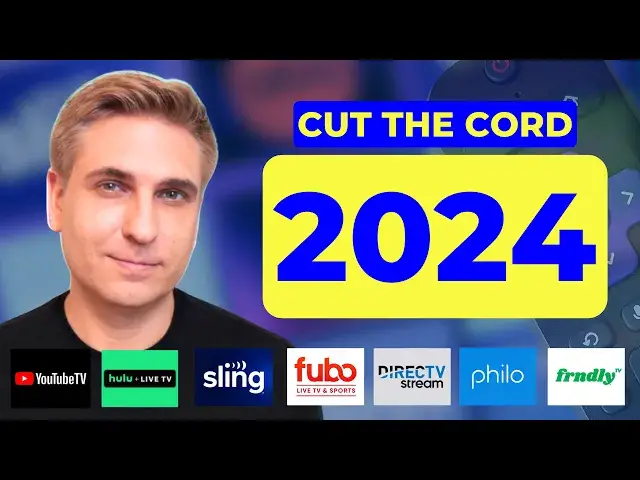
YouTube TV is the leading premium live TV service and also my number one pick for new cord cutters
3:07
At the time of this recording, expect to pay around $75 to $80 a month
3:13
for a live TV streaming service that will replace your cable TV bundle
3:17
Premium live TV services include local channels, sports channels, and also cable news channels
3:25
A service called Sling TV can be a more affordable option. It's somewhere in between the premium and budget services
3:31
But Sling TV has limited local stations, so I like it mostly for people who can pick up locals with an antenna
3:38
And by the way, if an antenna works where you live, that's still the way to go
3:42
For more price-sensitive customers, there are also cheaper live TV streaming services like Philo and Friendly TV
3:49
They focus on entertainment cable networks, not locals, not sports, and not news
3:56
So this is important. I want you to ask yourself a few questions
3:59
Do you watch local broadcast TV channels? Do you watch sports networks like ESPN
4:05
Do you watch cable news and business networks? And do you watch cable entertainment shows
4:11
If so, you're most likely going to want a premium live TV service
4:15
like YouTube TV or the other ones listed on the screen. And I'll link below to an article where I compare the pricing, channels, and features
4:24
Now, these premium live TV services, they deliver much of the same content that you're used to getting with cable and broadcast TV
4:32
Unfortunately, though, they're not going to save you a whole lot of money
4:35
Still, many people prefer them over cable or satellite because most live TV services don't have hidden fees or long-term contracts
4:44
You typically pay for only one month at a time and can cancel whenever you want
4:49
The biggest complaint I hear about live TV services, it's the same complaint that I've heard about cable and satellite
4:56
And that's with the bundle, you pay for a lot of channels that you just don't watch
5:01
And a lot of cord cutters just aren't willing to spend $75 a month for a live TV service
5:07
So in that case, my best advice is to get an antenna, if at all possible
5:12
I've got a Mohu Leaf indoor antenna. I've had it for years and it picks up my local stations
5:17
This one cost only about 40 bucks. Then depending on your budget
5:21
you can always add on to the free channels you get with the antenna
5:25
Sign up for on-demand services. They've got the best shows and movies anyway
5:29
Popular on-demand services include Netflix, Disney Plus, and Max. To save some money, consider the plans with advertising
5:37
Some of those are still under $10 a month. I should also mention that you can stream a lot of great content
5:43
including original shows and movies, on free ad-supported streaming services. My favorites, Pluto TV, The Roku Channel, Tubi, and Freebie
5:53
They're free and legal. The further away you get from the live TV bundle with those expensive locals
5:59
sports, and news channels, the more money you're going to save. But if you do want a live TV streaming service
6:05
know that at least some of them offer free trials. That makes it easy to test out one or more live TV streaming services
6:13
while you're still paying for cable to be absolutely sure that streaming is right for you
6:19
We're up to step three. Compare your internet options. All streaming services require an internet connection
6:26
So high-speed internet, that's a must for cord cutters. Options vary depending on where you live
6:32
but they may include fiber internet, cable internet, and 5G home internet services
6:38
If you currently bundle TV and internet from your cable provider, you can typically keep internet as a standalone service
6:46
Just know, the cost may be slightly higher because you're losing the bundle discount by dropping TV
6:53
And when you're comparing internet options, I want you to focus on three main factors, price, download speed, and data caps
7:01
For this portion of the video, I pulled my YouTube community to give you some more context
7:06
Let's take a look. For pricing, 35% of people who responded said they pay between $50 and $75 a month
7:14
for internet service. And that's what I personally pay. Competition does help
7:18
The more internet providers in your area, generally, the better the deals
7:23
And new customers are always going to get the best deals. Let's talk about data speeds
7:28
When you're making the switch to streaming, your internet provider may try to upsell you a plan with higher download speeds
7:35
But in most cases, you just don't need a gig speed plan. My internet download speed, typically between 200 and 300 megabits per second
7:43
with Verizon 5G home internet. And I never have issues with lag or buffering
7:48
Take a look at the results of my YouTube community poll. From my experience, an internet plan with download speeds of 200 to 400 megabits per second
7:57
that allows a handful of devices to connect to the network at the same time
8:02
And your performance isn't going to suffer. But if you live in a larger household or you do a lot of gaming
8:08
in that case, I'd consider a 400 to 600 megabits per second plan
8:12
Now, not all internet providers impose data caps. But this is definitely something to consider because streaming, it uses a whole lot of data
8:21
Ideally, you want an internet plan that offers unlimited data with the base plan
8:26
So no extra fees. 82% of people who responded to my YouTube community poll
8:31
said they get unlimited data at no extra charge. Xfinity is one internet provider that has data caps in some parts of the country
8:39
The company says its 1.2 terabyte data plan offers enough data to stream HD video for nearly 18 hours a day
8:48
Still, though, I hear from a small percentage of heavy users and larger households
8:52
who go over that limit. And in that case, Xfinity and other internet providers with data caps
8:58
will typically offer an unlimited plan upgrade. With Xfinity, it's an extra $30 a month
9:04
For more than a year, I've been conducting a long-term test of two 5G home internet providers
9:11
T-Mobile and Verizon. These services use cell phone towers to bring internet to your home
9:17
And at the time of this recording, 5G home internet services start at around $50 a month
9:22
and have price locks so your rate doesn't go up after the first year
9:27
Some other features, no contracts, equipment is included, unlimited data, and easy self-installation
9:35
Plus, these services have additional discounts if you've got a phone plan with them
9:40
Unfortunately, they're not available everywhere. I'll leave links in the description box below
9:44
That way you can check availability. You can also watch my full reviews to weigh the pros and cons
9:50
Despite attacks about reliability from cable internet providers, these 5G home internet services are growing and most people are satisfied with them
9:59
I only expect them to continue to grow in the year ahead
10:03
Step four, get your streaming equipment together. When it comes to equipment, a lot of new cord cutters end up buying expensive gear
10:11
that they don't really need. The fact is, you may already own everything that's required to get started
10:18
This is a basic streaming setup. We've got a smart TV and an internet connection
10:23
which again is required for all streaming. The latest smart TVs provide built-in access to the most popular streaming apps
10:31
Right now, I'm showing you the app store from my Samsung TV
10:34
Apps like YouTube TV, Netflix, Hulu, and Prime Video, they're installed or available to download
10:41
So if your smart TV has all your favorite apps, you can stop here
10:45
You don't need any additional equipment to start. But what happens if you don't have a smart TV
10:50
or maybe your smart TV is older and doesn't have all your favorite apps
10:55
In that case, don't go get a new TV set just yet. You can always purchase a streaming media player
11:02
There are various brands of streaming media players. I've tested a few of them, Roku, Amazon Fire TV, Google Chromecast, and Apple TV
11:11
This Insignia TV set, it's not a smart TV, but by hooking up a Roku device
11:16
I can turn this dumb TV into a smart TV and then stream all my favorite apps
11:22
Roku and other streaming media players are a one-time cost. There's no subscription required
11:29
For this TV set, I'm using a Roku Express 4K+. It's an entry-level Roku, and it costs less than $40
11:37
And why do I like Roku? First, that affordability, also a really simple navigation
11:42
and it has a wide availability of free and paid apps. Now, some people end up buying streaming media players for all their TV sets
11:51
whether they're smart TVs or not. And this is just a preference
11:55
I do this because I prefer Roku's user interface over Samsung. If you're just starting out, prioritize streaming equipment that you actually need
12:04
versus equipment that you want because you can always upgrade your setup later on
12:10
Step five, finalize your monthly streaming TV budget. By now, you've gathered a whole lot of information
12:16
and it's going to help you set a streaming TV budget and decide if canceling cable is right for you
12:23
For this step of the process, add up the recurring costs for streaming services
12:28
and your internet plan. I've got an example. This cord cutter subscribes to a premium live TV streaming service
12:35
plus they've got on-demand services, Netflix, Disney+, and Max. That brings their total price for streaming to around $100 a month
12:44
For internet service, this cord cutter has decided to keep a standalone plan
12:49
with their cable company for now. They got a quote earlier in the process, $75 a month
12:54
So that brings their total for streaming TV and internet to $175 a month
13:00
After you've calculated the streaming costs, you want to compare that to your current cable and internet bill
13:06
And hopefully, streaming is going to be less expensive. Keep in mind, you're going to need to adjust this budget over time
13:13
Streaming services are not immune from price hikes. For example, I've been tracking YouTube TV's price since it launched in 2017
13:21
and the monthly price of its bundle has doubled. Like cable and satellite companies
13:26
live TV streaming services have to negotiate with the same companies that own the channels
13:32
And when they raise prices, they always cite the rising cost of programming
13:37
On-demand services are facing rising content costs as well, and most services besides Netflix are unprofitable
13:44
These on-demand services have aggressively been raising the price of ad-free plans
13:49
You see the difference between the starting price of Netflix's standard plan with ads
13:54
and Netflix's standard plan without ads. Other on-demand services are priced in a similar way
14:00
I've had to add about 10% to my annual streaming budget over the last few years
14:05
but it really varies depending on the services that you get. And by the way, to keep things simple for this step, I excluded one-time equipment costs
14:14
But if you need to buy an antenna or a streaming device to get started
14:18
budget for those expenses accordingly. We're up to number six, and that's to cancel cable TV service
14:24
You've already crunched the numbers, tested streaming services, compared internet options, and purchased any necessary equipment
14:33
Now you can call up your cable TV provider and cancel your TV service
14:38
If you already called your cable TV provider during step one of this process
14:42
and asked them the three questions that I mentioned earlier, there should be no surprises here
14:47
That's because you already know their best offer, you already know how much an internet-only plan will cost
14:53
and you already know if there's an early termination fee. From my experience helping people cut the cable TV cord
14:59
it's best to cancel by phone and call early in the day
15:03
That way you shouldn't get a long wait time. And if you want to keep internet service with your cable company
15:08
review the plans ahead of time and be prepared for a sales pitch
15:12
Just a reminder, most households don't need gig speed internet. And once you've dropped cable TV from your plan
15:18
make sure to promptly return any rental equipment. That way you can avoid any additional charges
15:24
There's one more step, and it's an important one. Comparison shop and explore ways to save
15:30
Now that you're a cord cutter, there are still a few levers that you can pull to fight back against the rising cost of TV
15:37
which does again extend to streaming services. My number one savings tip is to rotate your subscriptions, particularly with live TV
15:45
This is the way that I do it. If you have YouTube TV but only need it during football season
15:50
you could cancel it during the off season and try a cheaper option
15:54
something like Sling TV or Philo. To save even more money, consider dropping live TV altogether
16:00
This is something that I experimented with last year. If you drop live TV altogether, you can use an antenna for local stations
16:08
and supplement with free and cheap streaming apps. Rotating on demand services can save you some money as well
16:14
I try to pay for only three services at any given time
16:18
More ways to save now. You can also select plans with ads to lower your costs
16:23
Pre-pay for an annual plan. Save up to 20% on services that you absolutely love
16:28
Take advantage of Black Friday deals on michaelsavesdeals.com. Check your credit card rewards and also special offers
16:36
See if your phone provider offers any streaming perks. And of course, rely on free streaming options that I mentioned earlier
16:42
Another tip, when you go online to cancel a service after a promotional period ends
16:47
don't be surprised if you're offered another promotion. Sometimes this can extend the savings for a few more months
16:54
michaelsavesdeals.com is where I update deals on streaming TV services as well as internet and phone plans
17:02
If you found this video helpful, please give it a like. Thank you for watching today and I hope to see you back here soon