
AT&T Internet Air has quickly grown to serve more than a million customers, making it one of the major players in the 5G home internet space alongside T-Mobile and Verizon.
But is it really worth it? After testing the service for two months, I’m sharing everything you need to know about setup, speed, pricing, and whether this service is right for you.
1. The Big Picture: AT&T is Fiber-First
If you’ve browsed AT&T’s website, you’ve probably seen Internet Air advertised right alongside fiber internet plans. But here’s something important to understand: you won’t see both options when you enter your address.
That’s because AT&T operates with a fiber-first strategy. If AT&T Fiber is available in your neighborhood, Internet Air won’t be offered. You’ll only see fiber plans, which deliver the best overall experience anyway.
How I Tested Internet Air
After receiving numerous viewer requests, I reached out to AT&T and the company made an exception so I could test the service in an area where it’s not normally available.
There are two important disclosures you should know:
- Testing Location: I tested Internet Air in an area where it’s not typically offered, so speed and performance may differ from what you’d experience in a service area where it’s officially available.
- Service Provided: Because I couldn’t sign up through the normal website process, AT&T provided the service at no cost for an extended trial period.
Having said that, nobody at AT&T reviewed this content before publication. I’ve spent the past two months testing Internet Air to give you an honest assessment of who it’s for and who should skip it.
Before we dive into setup, you can check if AT&T Internet Air is available at your address here.
2. Setup and Activation: Simple and Fast
If you’re wondering why 5G home internet services have become so popular, the simple setup process helps explain the appeal.
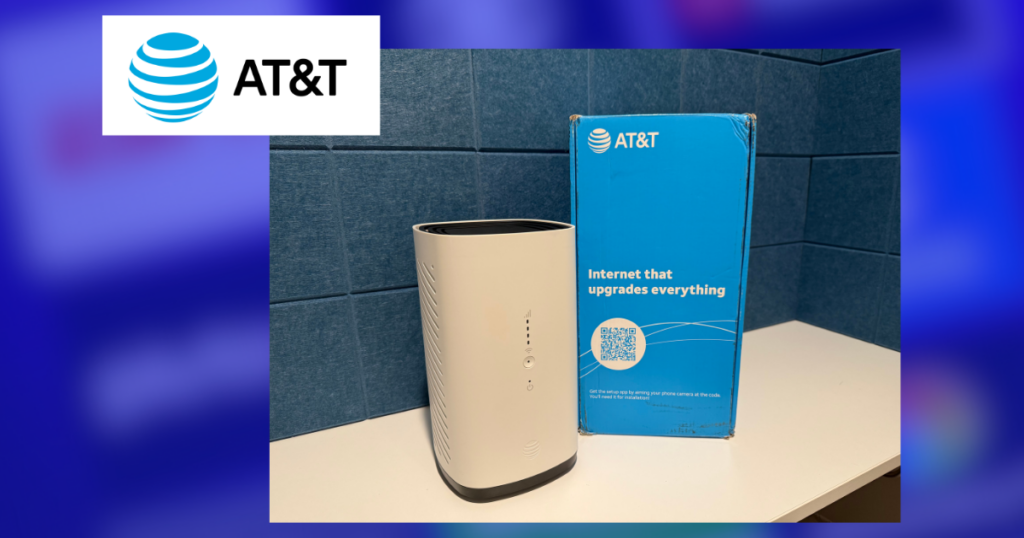
The equipment arrives a couple of days after you place your order online. Inside the box you’ll find a Wi-Fi gateway, power supply and basic setup instructions.
The setup process is straightforward:
- Scan the QR code on the instructions and AT&T’s app will guide you through the setup
- Position the gateway: The app will tell you which direction to face the gateway for the best signal
- Power it on: Plug it in, turn it on, and wait for updates to complete
Michael’s Experience: I tested spots in three different rooms before settling on my kitchen counter for the majority of my testing. Placement matters with these 5G services, so don’t be afraid to experiment.
The entire setup process took about 15 minutes from start to finish, though it may take longer if you test multiple locations.
AT&T recommends placing your gateway high up and near a window for optimal performance.
If you need help, the AT&T Smart Home Manager app has some good DIY tools to help you maximize your internet performance. My favorite is the Wi-Fi coverage check. For this, you aim your phone’s camera at the floor and move around your home to identify strong and weak coverage areas.
The app also allows you to change your Wi-Fi name and password, view connected devices, set up parental controls, run speed tests, reboot your gateway, and access support for common issues.
3. Speed and Performance: What to Expect
Since AT&T Internet Air isn’t normally offered where I live, I wasn’t expecting peak performance during my testing. According to AT&T’s website, Internet Air typically delivers:
- Download speeds: 90 to 300 Mbps
- Upload speeds: 8 to 30 Mbps
My Real-World Testing
For the majority of my testing, I fell within AT&T’s advertised ranges but usually on the lower end for download speeds. This was consistent whether I used Wi-Fi or connected via ethernet cable.
Pattern I Noticed: Speeds were noticeably slower during the day and faster at night. This made sense because I live near a downtown area that clears out after 5pm, so the network is likely busier during business hours.
AT&T’s website confirms that speeds may be slower when the network is busy. The fine print also notes that in rare cases, heavy data users may experience slower speeds during periods of congestion.
Performance Comparison
The speeds I experienced with Internet Air were lower than what I’ve tested with T-Mobile and Verizon’s 5G home internet services. However, they were still very usable.
AT&T Internet Air performed well nearly all the time for tasks like browsing the web, streaming TV, Zoom calls and even uploading my videos to YouTube.
However, when I streamed a video in 4K on four devices at once (TV, phone and two laptops), I did experience some buffering. I demonstrated this in my video review.
Note on Gaming: I did not test multiplayer gaming, which I don’t recommend 5G home internet for anyway due to latency concerns.
Your Experience Will Vary
Performance is going to depend heavily on your location and local network conditions.
AT&T offers a 7-day trial period. If the service doesn’t work out, cancel and return the gateway right away to avoid any charges.
4. Pricing: No Surprises, But Higher Than Competitors
This is where AT&T really differs from other 5G home internet options, and it will affect your wallet. As of this review, AT&T Internet Air starts at $55 per month as a standalone service.
What’s included in that price:
- No price increase at 12 months
- No setup or installation fees
- No contract (cancel anytime)
If you bundle Internet Air with AT&T wireless phone service, you will receive a discount.
AutoPay and paperless billing must be activated to get the best deal.
T-Mobile and Verizon both offer multiple 5G home internet plans at different price points. Generally, they offer lower entry prices and more aggressive promotions than AT&T.
I track the latest limited-time internet plan deals on MichaelSavesDeals.com.
5. Who Should Get AT&T Internet Air (and Who Should Skip It)
Let me be as specific as possible about who this service makes sense for.
Start by Comparing Your Options: Before making any decision, compare what’s available in your area. Different addresses will have access to different providers and plans.
This Service Makes Sense For:
- People without fiber internet access: Internet Air is going to be most valuable for those who don’t have a fiber internet provider available. And remember, if AT&T Fiber is available at your address, you can’t even get Internet Air.
- AT&T wireless customers: If you already have AT&T for your phone service and don’t want to switch carriers, bundling Internet Air makes financial sense with the 20% discount.
- Only 5G option available: If Internet Air is the only 5G home internet service in your area, it’s a reasonable choice.
Who Should Look Elsewhere:
- If T-Mobile or Mint Mobile are options: If you have access to T-Mobile 5G Home Internet or even the prepaid version from Mint Mobile, seriously consider those alternatives. You may end up with faster speeds at a lower price point.
- Heavy power users: If you need ultra-fast uploads, low-latency gaming, or have a large household with everyone online simultaneously, 5G home internet probably isn’t the right fit. Look for fiber or high-speed cable options.
- Price-sensitive shoppers: With T-Mobile and Verizon offering more aggressive entry-level pricing and promotions, AT&T’s standalone price may not be the best value unless you’re already in the AT&T ecosystem.
5G home internet works best for everyday internet use, and AT&T Internet Air delivers on that promise. Just make sure it’s the right fit for your needs and budget. You can use this link to check availability.
If you have an experience with Internet Air, leave a comment below to help others shopping for a new plan.
My experience with AIRNET has been very poor – download speed ranges from 1.5 to 40 Mbs – often, I have no connectivity at all.
Recently switched from T-Mobile to ATT Internet Air (Mobile devices too), for me price point was much less with bundle and discounts at $24/mo. Speed is better than i was getting with T-Mobile *** until i enabled the ATT Active Armor Mobile Security Suite, which cut speed significantly rendering the service almost unusable, from 500Mbps to less than 90Mbps. Also caused some issues for me personally due to ATT routing traffic and issuing IP Addresses from Utah rather than locally from Las Vegas, NV.
7/8/2026 ATT air is available by me but they will NOT give it to me because the maximum amount of neighbors have it and they limit how many people can get it, so it does not bog down the system. I have been with ATT for decades and due to my rural location and was working off DSL – ATT just shut it off!!! I called them and they said they discontinued copper lines, WHAT A JOKE! No warning, no nothing at all.
That happened to me also. DSL worked much better. It was ATT internet air or nothing at all. I tried Starlink but unable to get an unobstructed view of the sky. Hopefully fiber optic will get to me next year. ATT internet air is a poor replacement for DSL.
Terrible experience with AT&T Internet Air.
Service so bad in our location that we couldn’t even activate it.
Then 10 months later AT&T sent us to collections for a $216 bill we weren’t even aware of for a service we never received.
I am giving a ATT Air a try now. Am getting widely variable speeds. I was on the phone with an ATT technician when I installed it. He told me about the network being slow and congested. It was around 3:00 pm.
Speed that I got were: 15.31
36.76 62.97 69.63 10.61 11.25 11.79 11.23 11.33 5.78 19.38 33.35 13.79 23.62 The technician reminded me of their seven trial, since downloads were well below the minimum promised.
Later, I did see 100.21 & 83.55 .
Following day, I did see some 150 downloads, in mid day. I may give this equipment back. Obviously, my speed has nothing to do with my modem location. The issue is just with AT&T. It seems that I am getting faster downloads on my T-Mobile cell phone. It gets even better in other neighborhoods. I clocked almost 500 four miles from my home. At home, it ‘only’ clocks 135 or so.
I just got ATT Air. What a disappointment. During the setup, I was on the phone with ATT support, in the mid afternoon. I tested ten times while I was on the phone. Speed ranged from 100 down to 11 in a 30 minute time span.
Second day, I tried earlier in the day, and got some fine speeds, around 150. But, after 5:00 pm, speeds ranged from 11 down to just 6. By 7:00, it dropped to 3.5, while the upload speed was double that at around 7.
I live in Anaheim CA. Technicians have told me that fiber was soon to come. Been hearing that now for seven years. We get ads in postal mail for fiber for a few years but nothing has happened. My U-verse used to be an 18 plan, but was downgraded to a 12 plan a few years back.
I have been very disappointed with Internet Air. Goes out a lot ! Constantly fooling with it to get it going again. Optimum was a nightmare and so I switched to this. Not sure what to do now.
I was forced to AT&T Air with the shutdown of DSL in my area. Te signal strength is poor. AT&T support verified speeds not as advertised. I have one bar, sometimes, on the signal strength indicator, sometimes no service. No fiber in this area. Will be looking for alternative options for internet. There is no provision to install an outside antenna to get better service. It looks like, from FCC data, that AT&T Air uses 701.5-713.5 MHz to communicate with the tower.
Live in niche location, Fiber will likely not get here in my life time. Been captive to DSL for 20 yrs. Last bill $130 (Frontier / Verizon) at less than 7 mps. AT and T just recently came to the area and after two weeks of heavy use, Its performance and uptime are great. Download speed 250 – 320 and that’s using several different test sites. Will Let you know in couple months if am still a happy camper. Give it a shot
Is it location specific or can you take it with you and use it anywhere? Example take it to someone else’s house to use.
All these services are intended for one household only, but I know some people do take them. You just risk being shut down.
Thanks for input. We do not have fiber optics available and our present system cuts out frequently. We will be changing to air plan because of your insights.
We tried the T-Mobile version. We have an older 2-level home and currently have DSL wireless service. We tried the T-Mobile device on both levels near windows as they stated. We found that the T-Mobile device wi-fi does not reach through our levels like our current device, so we returned it.
I noticed the fine print there is a deprioritizing after 250GB of 128kbps. I’m unsure about that. The agents on the phone say there are no prioritizing at all.
Hmm. That number doesn’t seem familiar to me. Are you referring to the business plan?